A Designer's First Attempt at Directing Agentic AI
AI’s growth over the past couple of years has changed what design work looks like. Designers aren’t just handing off concepts anymore, they’re making ideas live themselves. Job listings say it outright now: AI in your workflow isn’t optional. I picked up on this late, more than a year late, watching from the sidelines while everyone else seemed to already be moving.
I closed that gap with a course from Emil Kowalski. I went in unsure where a designer even fits into agentic AI. I came out understanding I’m not the one writing code, I’m the one directing it.
Figma is still the Foundation
For the past 5 years, Figma’s been my daily driver. Auto-layout, variables, components, I thought I had it figured out.
Turns out “good enough for a developer” and “good enough for an AI” are two very different bars.
Here’s the thing, in every job I’ve had, handover was simple. I’d hand off a Figma file, maybe drop a few notes in Slack if something was unclear, and developers would figure it out. No strict naming conventions, no rigid structure needed. Human developers infer context, they ask when something’s unclear, and they fill in the rest.
Agentic AI can’t do that. Not yet, anyway.
When I started working with Claude Code, I quickly realized my “good enough” files weren’t cutting it. The AI reads structure, not intention. If a frame is named “Frame 47” instead of “Card - Pricing”, it’s already lost. So I went back to basics and cleaned up three things:
Naming that actually means something. Every layer, frame, and component got a name that describes what it is, not just what it looks like in the layers panel.
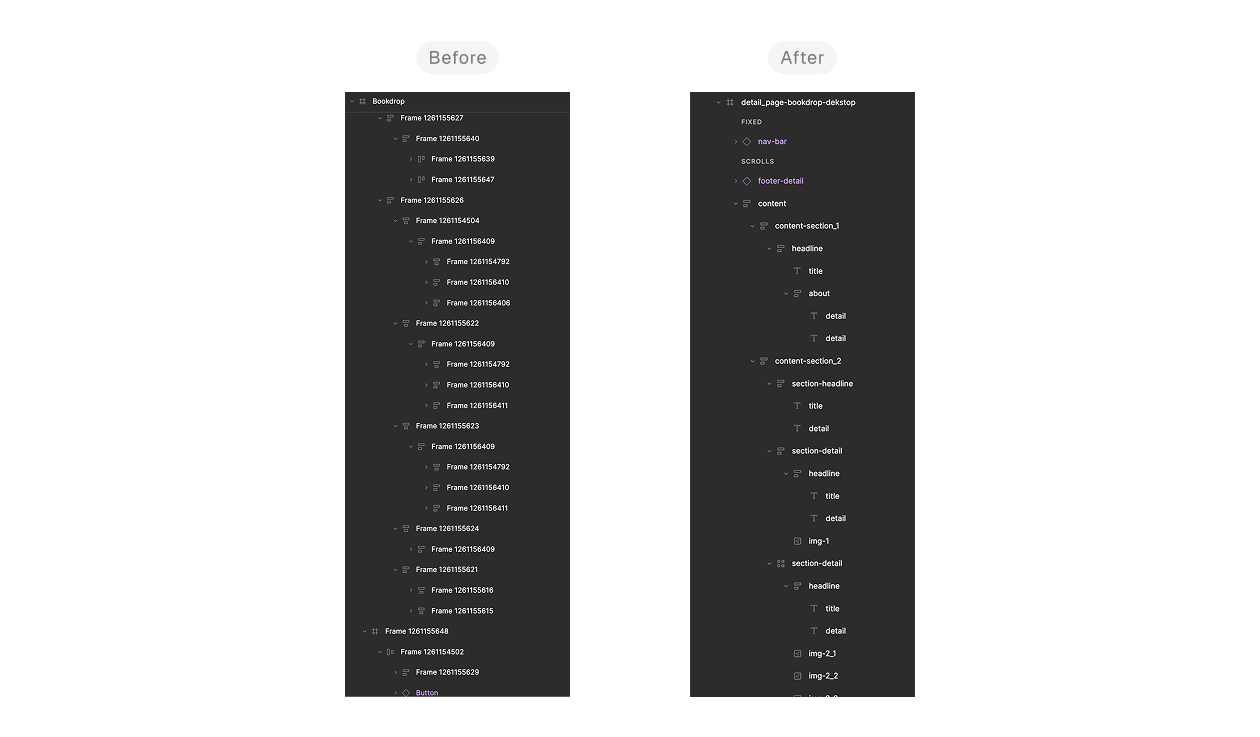
I used to name layers whatever Figma auto-generated. Turns out, that’s basically speaking gibberish to an AI trying to understand my design.
Variables, seriously this time. Colors, spacing, typography, all tokenized, so the AI could pick up on the pattern instead of guessing a value.
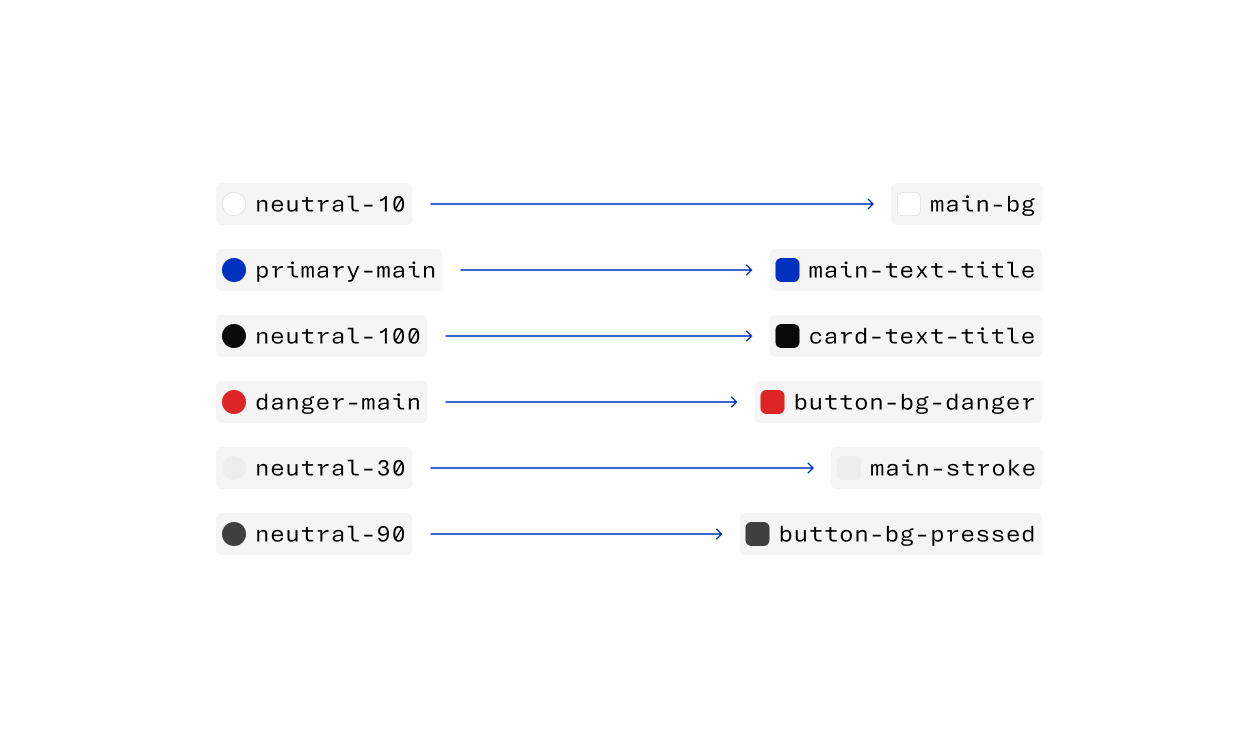
I used to name colors like a spreadsheet. Now they read like sentences: main-bg-color, main-paragraph-color. Small shift, but it changed how accurately AI picked up my design intent.
Component hierarchy that makes sense. Nested components with clear parent-child relationships, so the logic behind the design is visible instead of buried three groups deep.
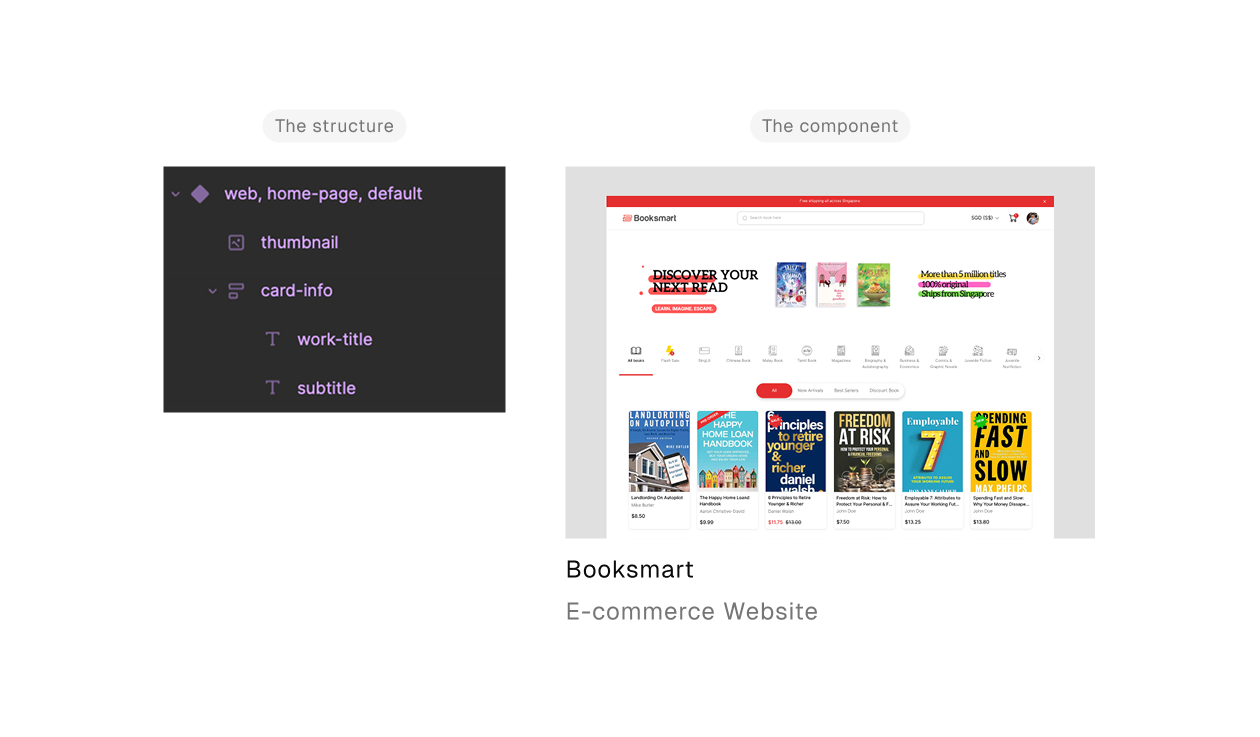
A clear hierarchy doesn’t just help developers. It gives AI the structural context it needs to understand your component logic.
Honestly? This made me realize something a bit uncomfortable. I’d been getting away with messy handover for years simply because humans are good at filling gaps AI can’t.
Cleaning up for AI ended up cleaning up my process for everyone. By the time the files were in shape, there was nothing left to prepare, just my Figma file and the AI, ready to go.
First Encounter with Agentic AI
I’ll be honest, before diving in, I built up this whole scary picture in my head.
I’d watched people move fast with agentic AI, throwing around terminal commands and complex prompts like it was nothing. I expected the same for myself, messy trial and error, a steep learning curve.
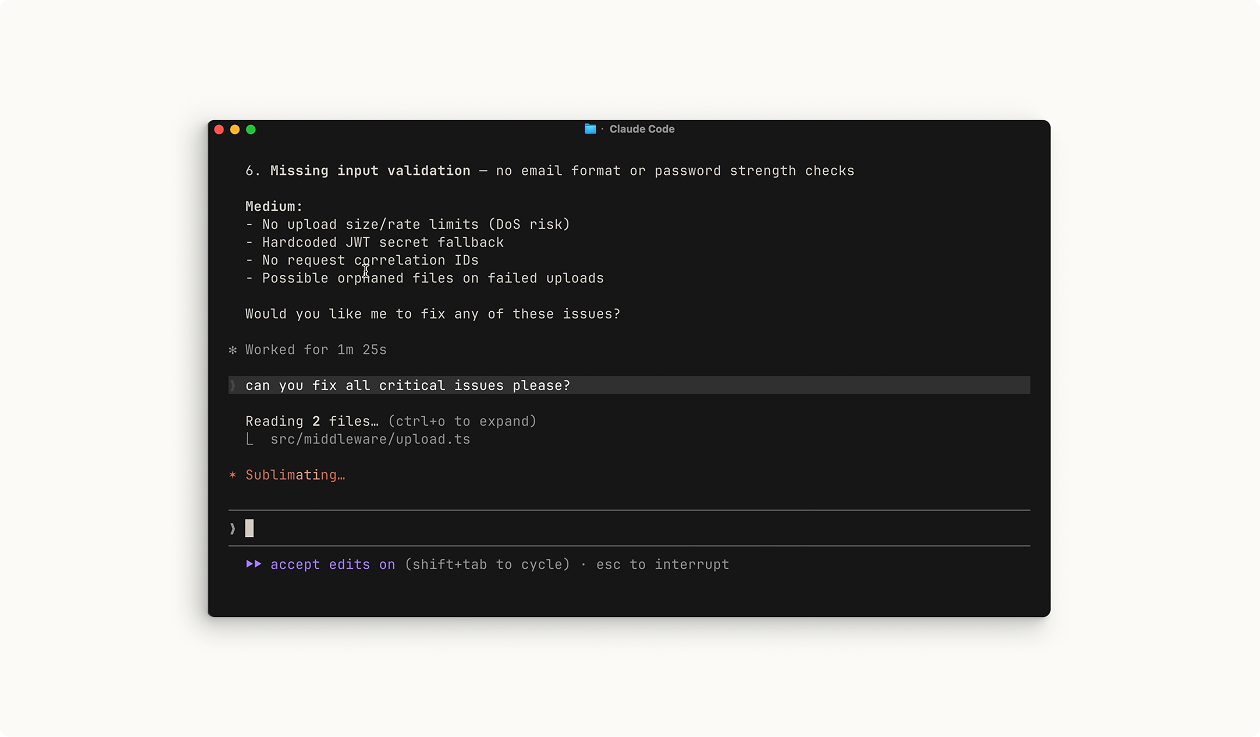
Terminal-heavy workflows like this are what made me assume agentic AI meant speaking fluent developer. Turns out, it didn’t have to. (Screenshot from Claude Code 101, Claude Academy)
Instead, the first time I described what I wanted to Claude Code, it just… understood. Not perfectly, but enough that I never felt like I was shouting into a void.
This wasn’t about becoming a coder overnight, it was about communicating clearly, just in a language I hadn’t used before.
Of course, it wasn’t completely smooth. There was a point where I asked for a specific animation behavior, and what came back wasn’t quite what I pictured, the timing was off. Instead of giving up, I broke it down: showed a reference, described the easing I wanted, compared it side by side. A few iterations later, it clicked.
That hiccup was the real lesson. Being the orchestrator meant knowing what “right” looked like well enough to catch when it wasn’t, and being specific enough to guide it there.
Turns out, the scariest part wasn’t the tool. It was my own assumption that I didn’t belong in this workflow yet.
Being an Orchestrator, not a Coder.
That first win didn’t mean I’d figured everything out, it just meant I’d found my role. There’s a version of “AI-assisted design” that sounds like magic: describe what you want, and it appears. That’s not quite what happened here. I decided what needed to happen, Claude Code worked out how to build it. But “how” still needed my input, over and over.
Color, for instance, was never up for negotiation. Every shade and every contrast decision stayed fully mine. Claude Code implemented it, but the craft itself was untouched by AI. That’s not a limitation of the tool, it’s a boundary I set on purpose. Some decisions are design decisions, full stop.
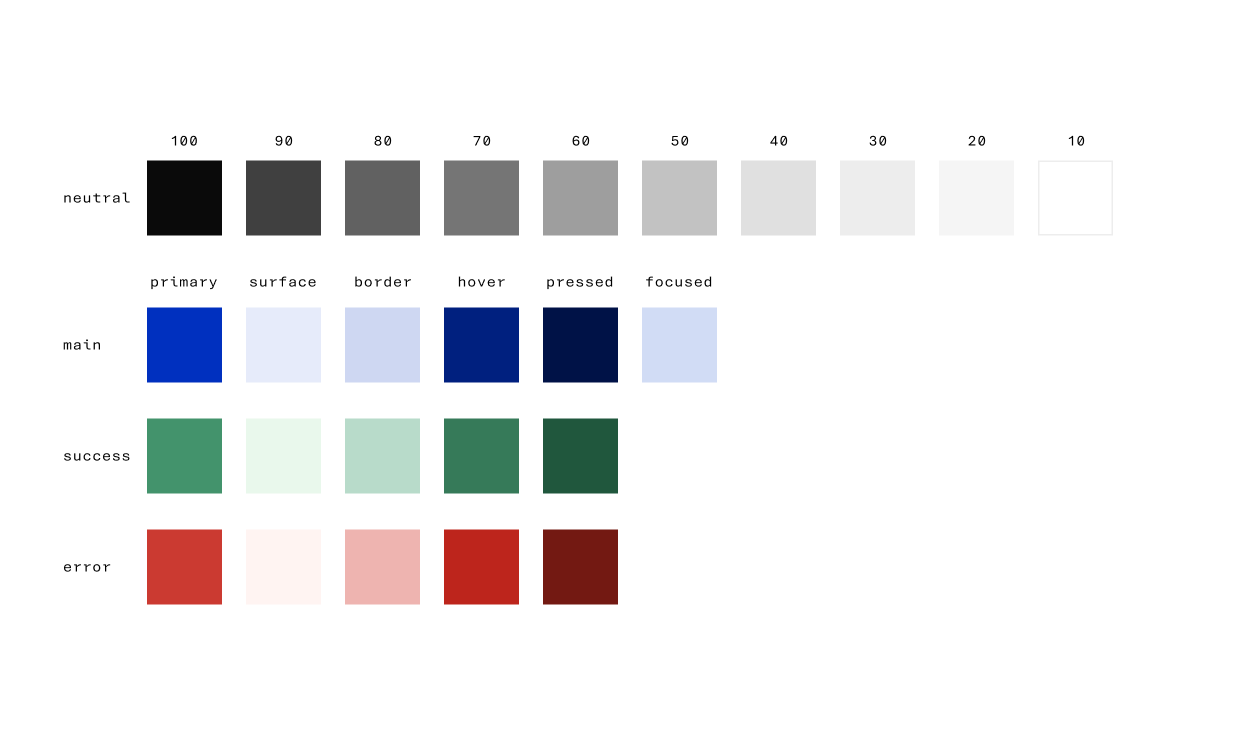
Every shade, every state decided by hand. This is what “fully mine” actually looks like.
Motion was a different kind of back-and-forth. I wanted something snappy, not abrupt, and the first pass landed technically correct but flat, none of the bounce I had in my head. So I treated it like a design review: pointed at the reference, named the easing curve, put both versions side by side until the gap was obvious. It took a few passes before it matched.
That loop became the actual workflow: describe, generate, compare, refine. Not one prompt and done. More like a conversation where I kept saying “closer, but not quite” until it was.
Executing fast is easy for AI. Reading my taste isn’t. That part stayed on me, every time.
Outcome
Two weeks, that’s how long it took from picking up the course to having this website live.
Being the orchestrator, that’s the foundation I walked away with. Not writing code myself, but steering agentic AI toward the concept I actually envisioned, then correcting it when it got things wrong, the same way I would with any collaborator. It didn’t replace how I used to work. The Figma discipline, the design instincts, all of it still matters, just aimed at a different output.
Right now I’m using the same process on my own design ideas, turning them into live sites instead of Figma files.