Bookdrop
Bookdrop runs the daily operations behind Booksmart’s regional e-commerce, from order fulfillment to distributor logistics. But the system was built for a business that no longer existed. As Booksmart scaled into complex B2B fulfillment, a platform designed for simple B2C orders became the bottleneck: cluttered dashboards, endless scrolling, and no way to split one order across multiple destinations.
I rearchitected the core order engine and dashboard experience to match how the business actually operates now, at regional B2B scale.
Transforming the Dashboard into a Strategic Command Center
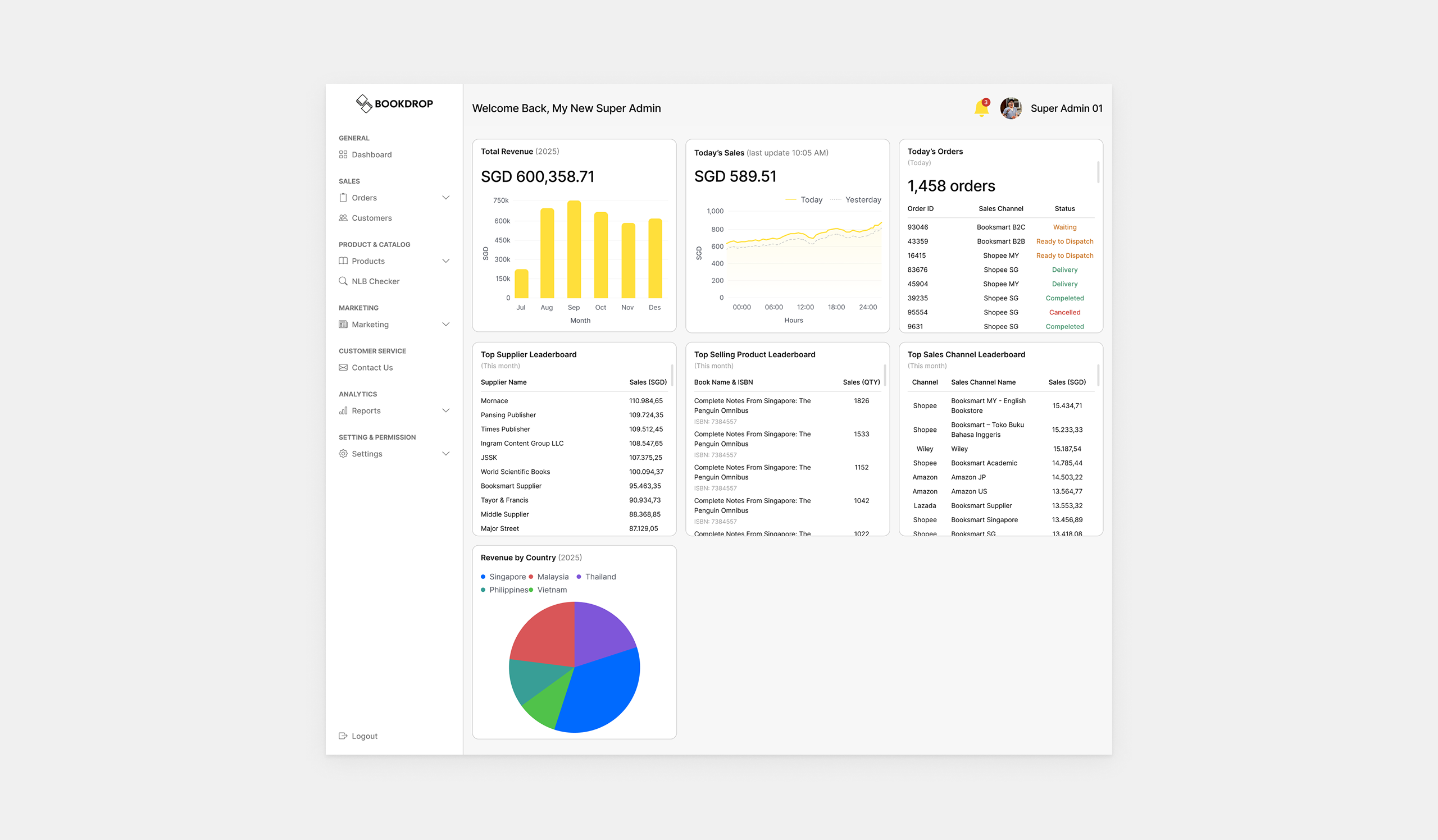
The legacy dashboard was a bare tracker with only three widgets, leaving management with strategic blind spots since there was no way to drill into what was actually driving performance. I introduced targeted data visualizations paired with a progressive disclosure model, keeping the main interface scannable while giving stakeholders a dedicated path to dive deep when they need to.
Strategic Performance Leaderboards
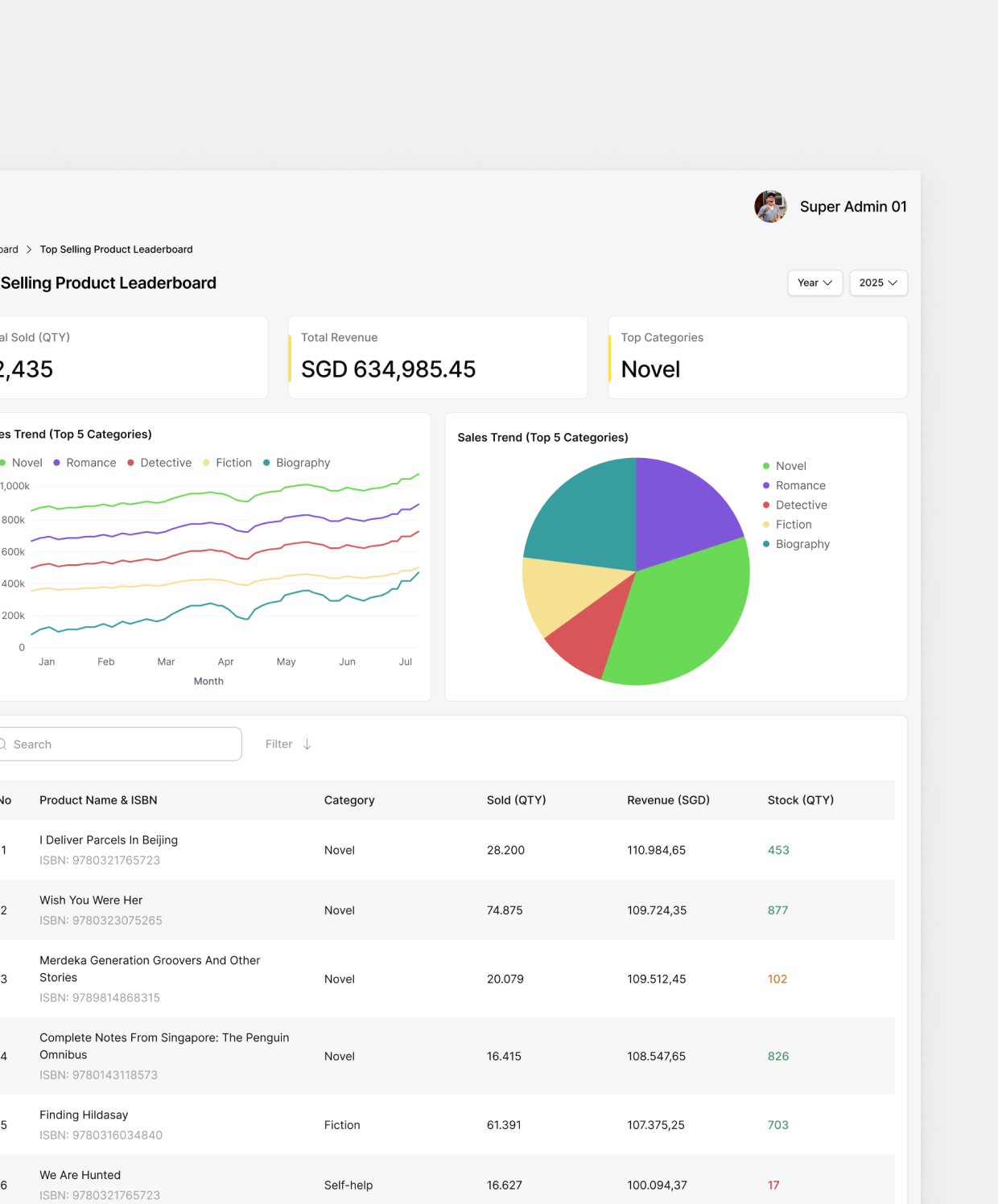
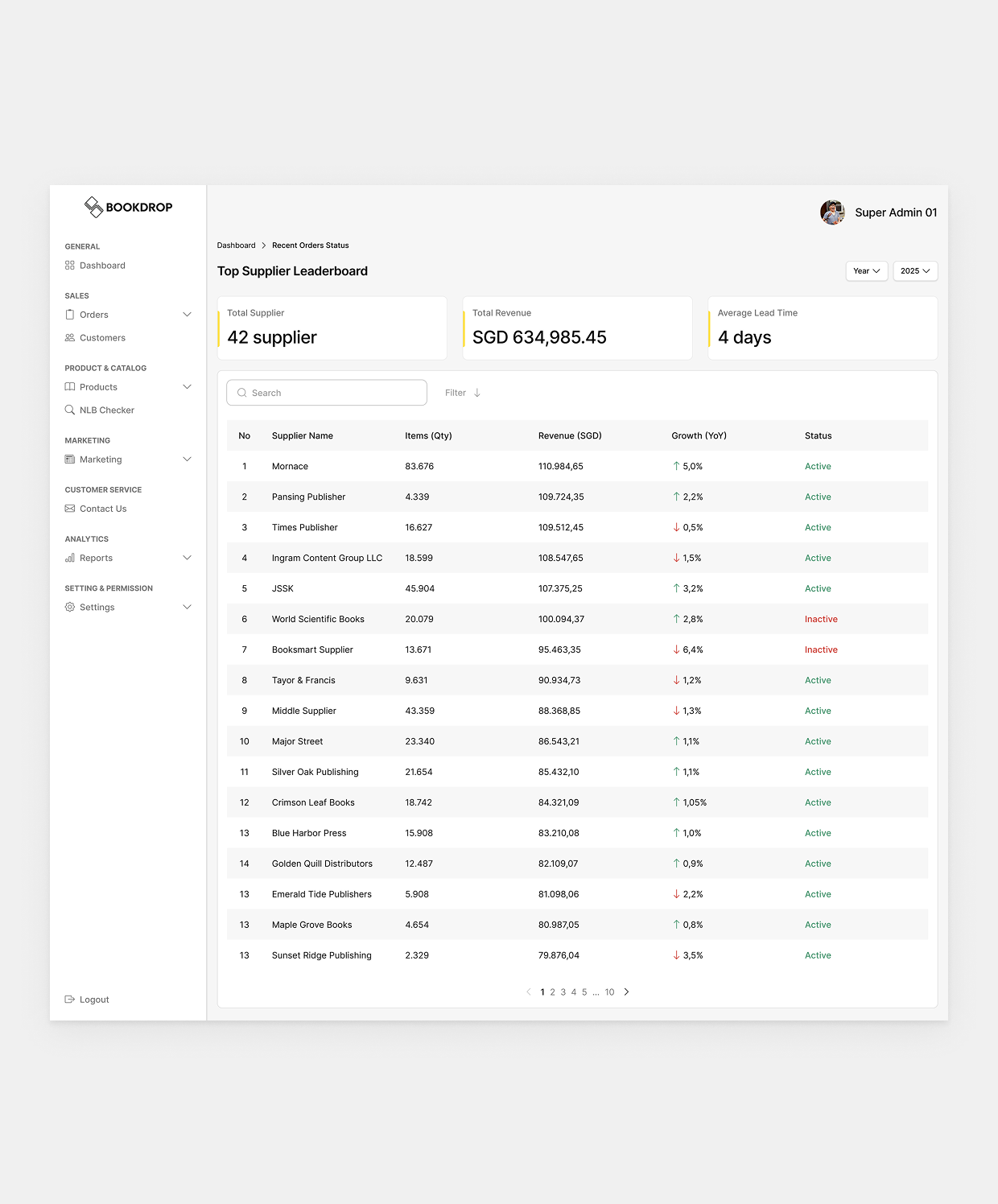
I added four new widgets: Top Supplier Leaderboard, Top Selling Product Leaderboard, Top Sales Channel Leaderboard, and Revenue by Country, surfacing the strongest revenue streams and supply chain performers at a glance to directly inform strategic decisions.
Deep-Dive Detail Pages
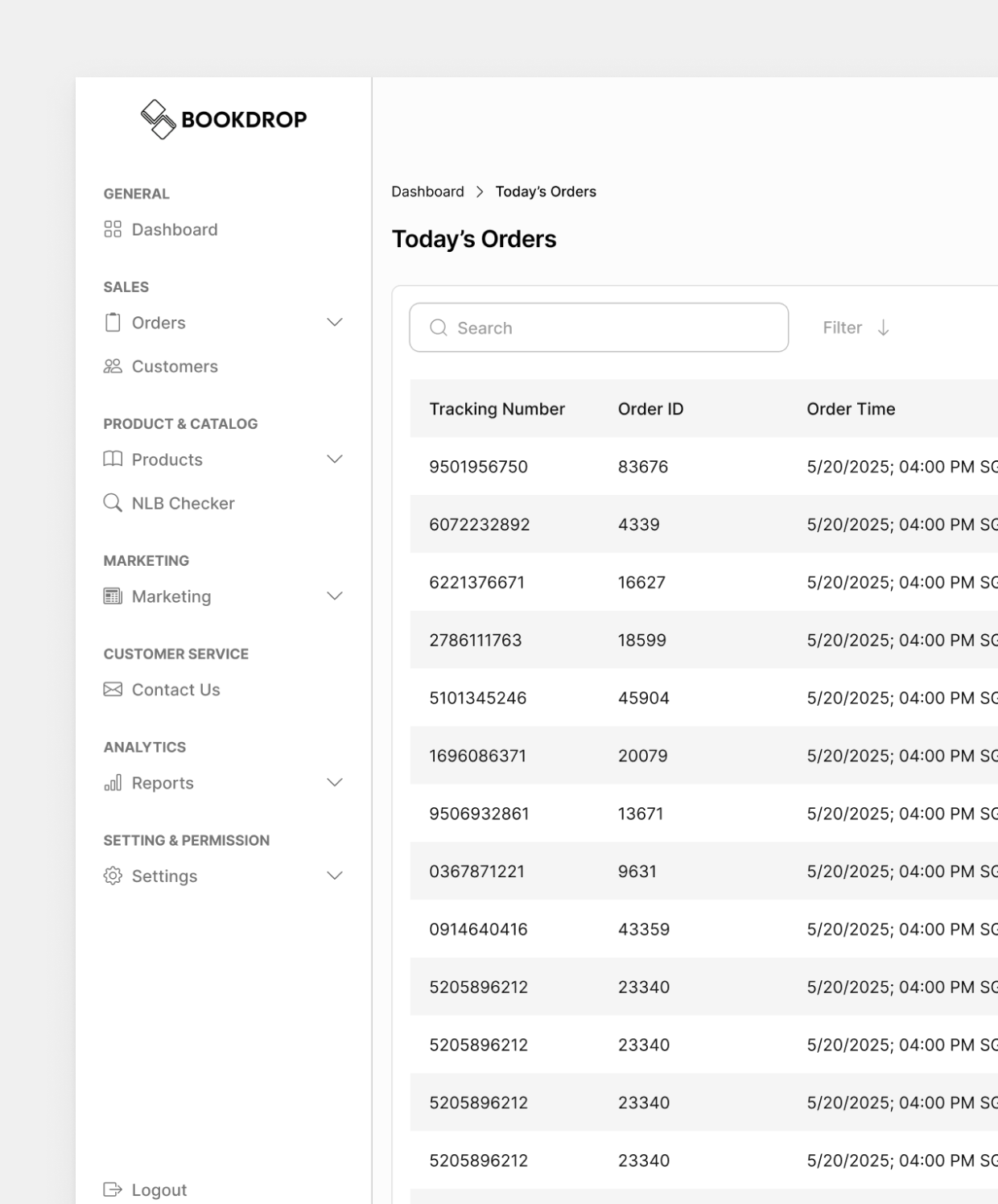
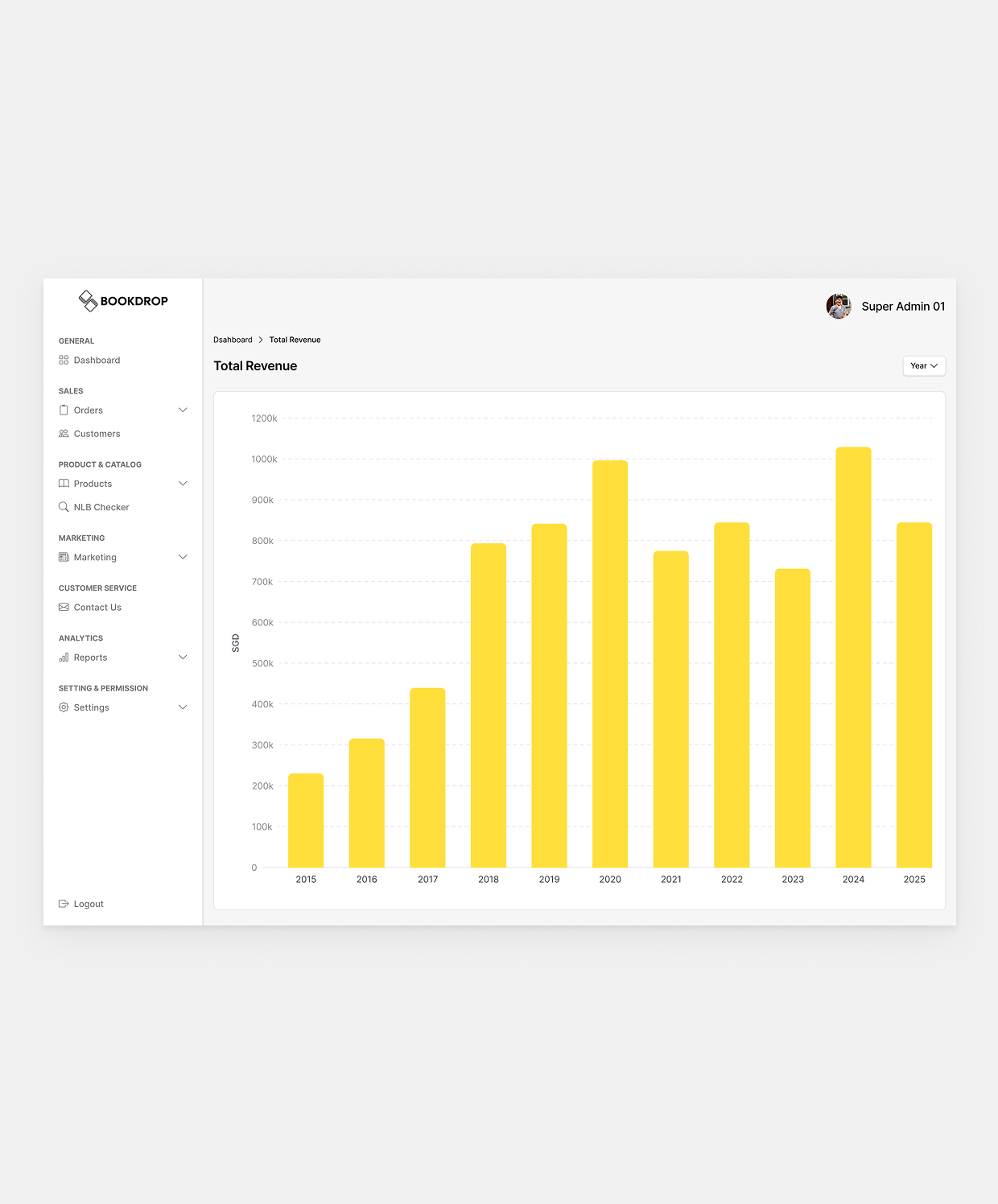
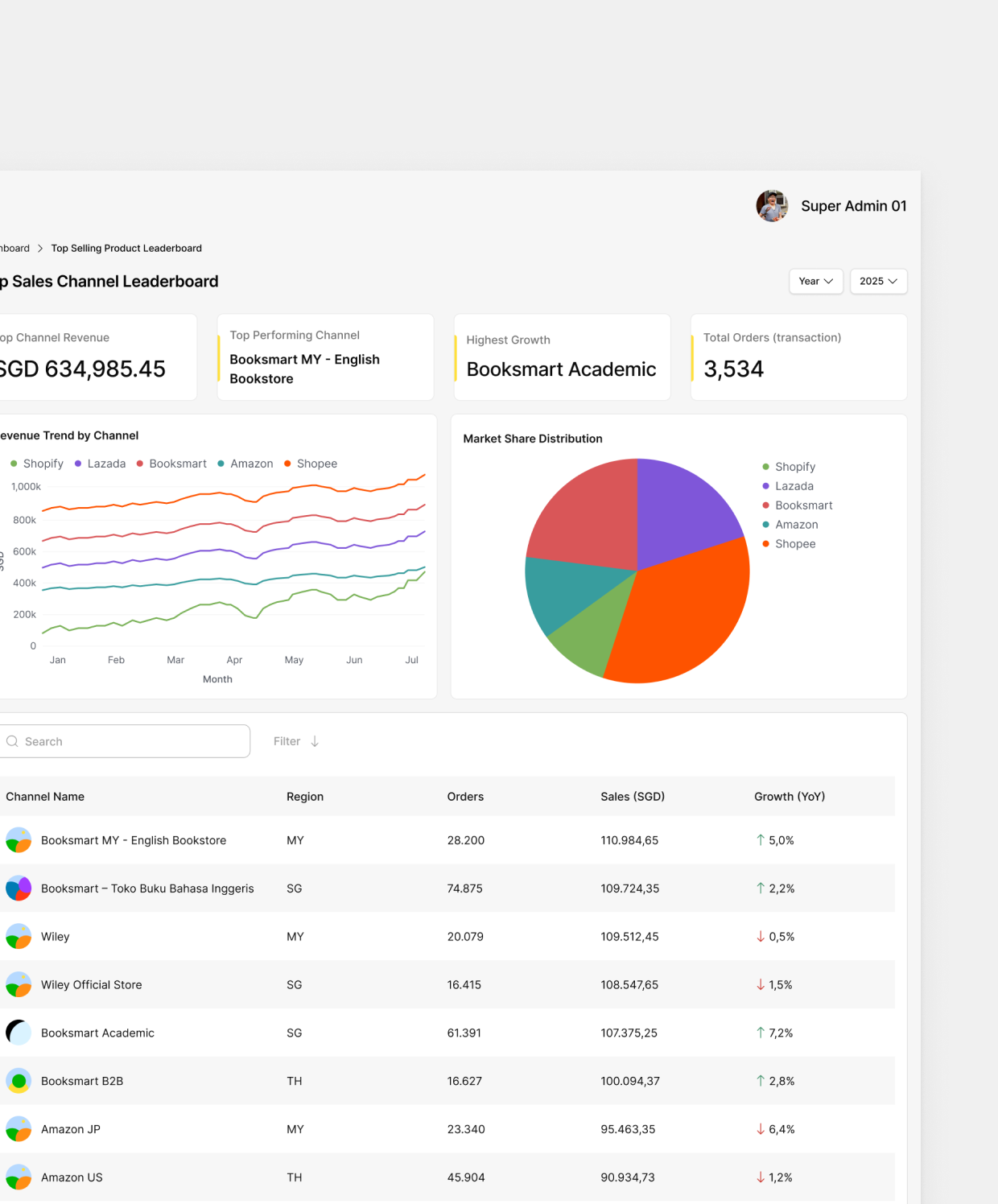
For metrics that need more depth, I built dedicated detail pages for Today’s Orders, Total Revenue, and all three leaderboards. Admins see high-level numbers on the dashboard and click through for the full operational breakdown, without cluttering the main view.
Bulk Uploads & Multi-Shipment Logistics
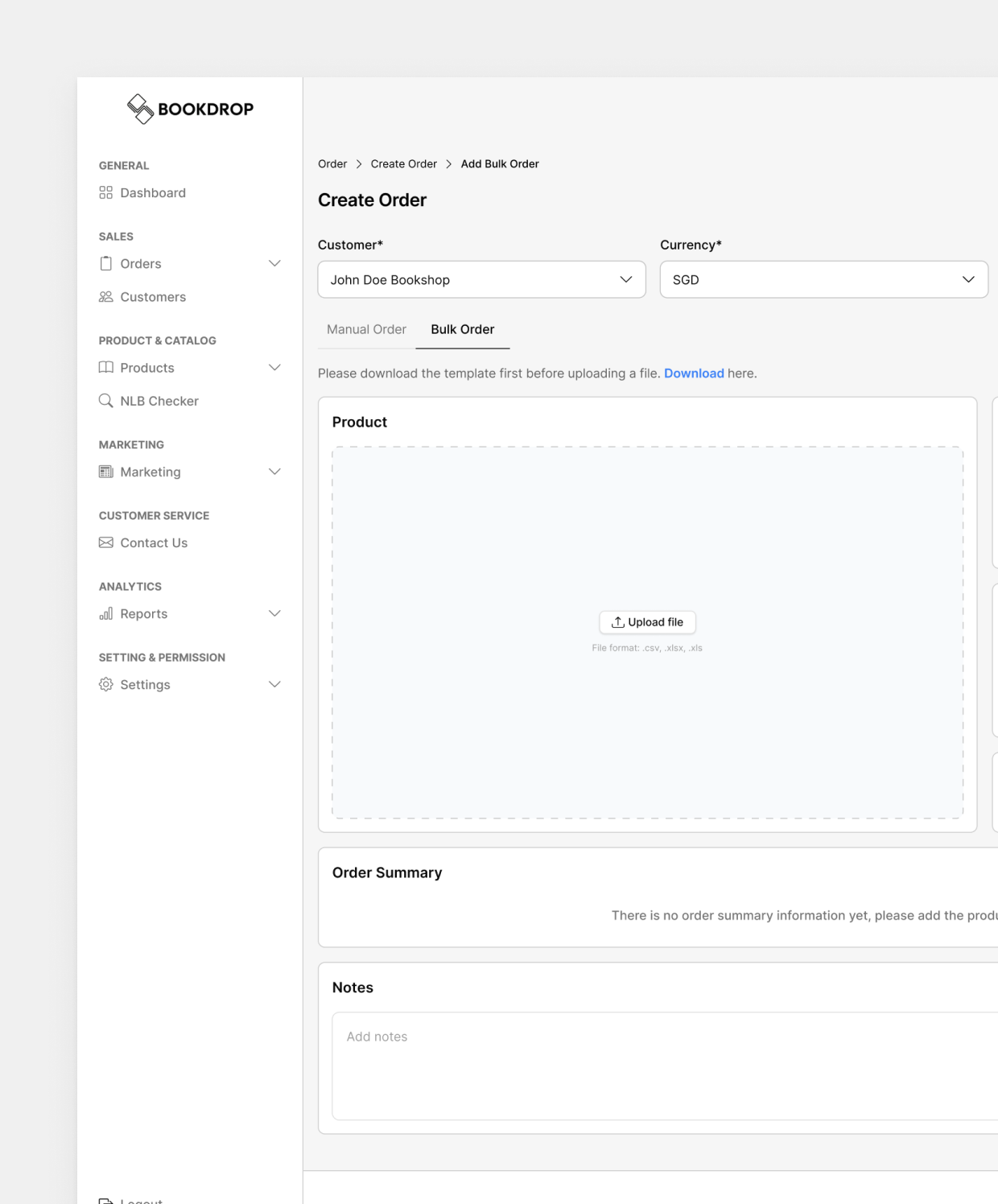
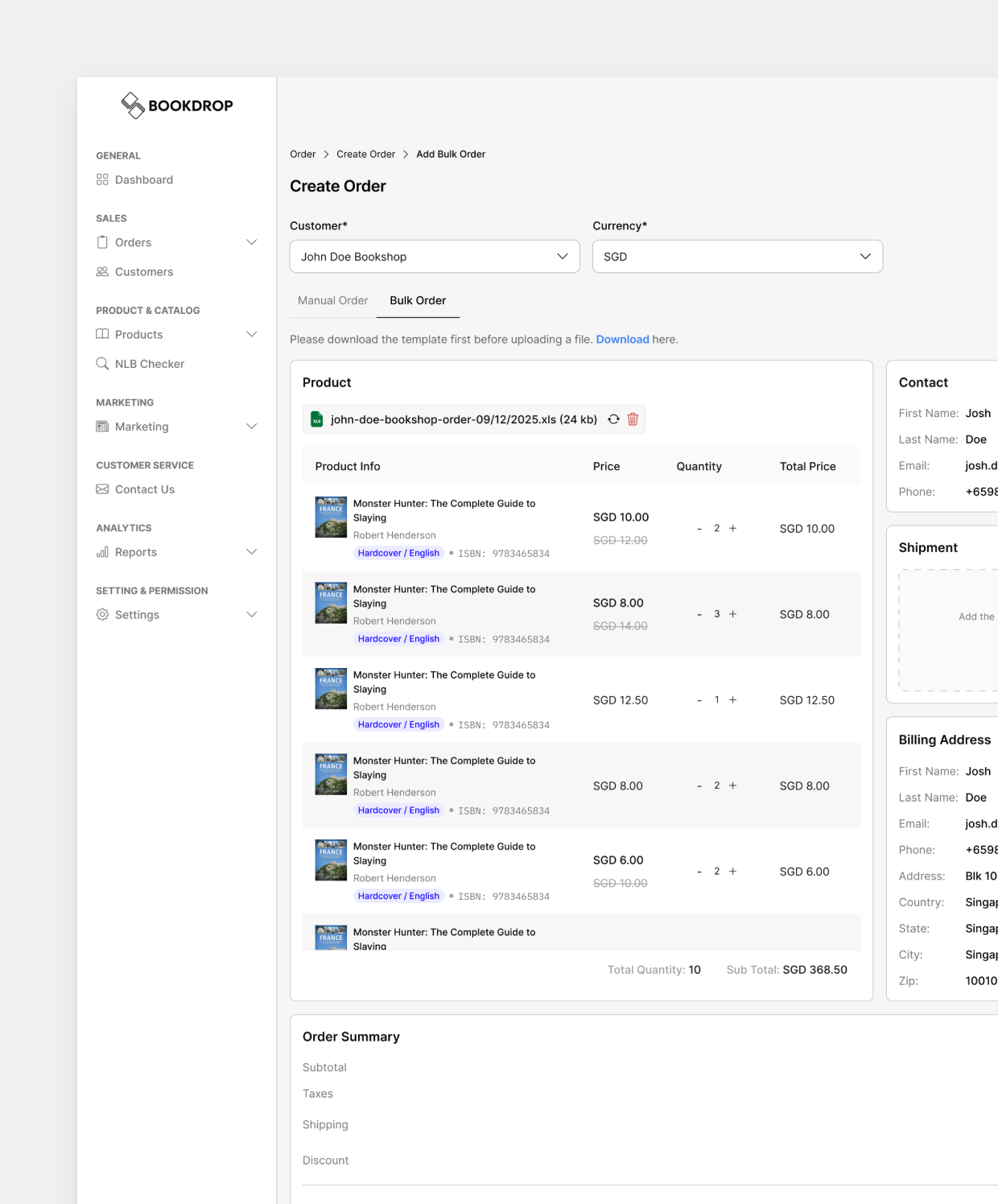
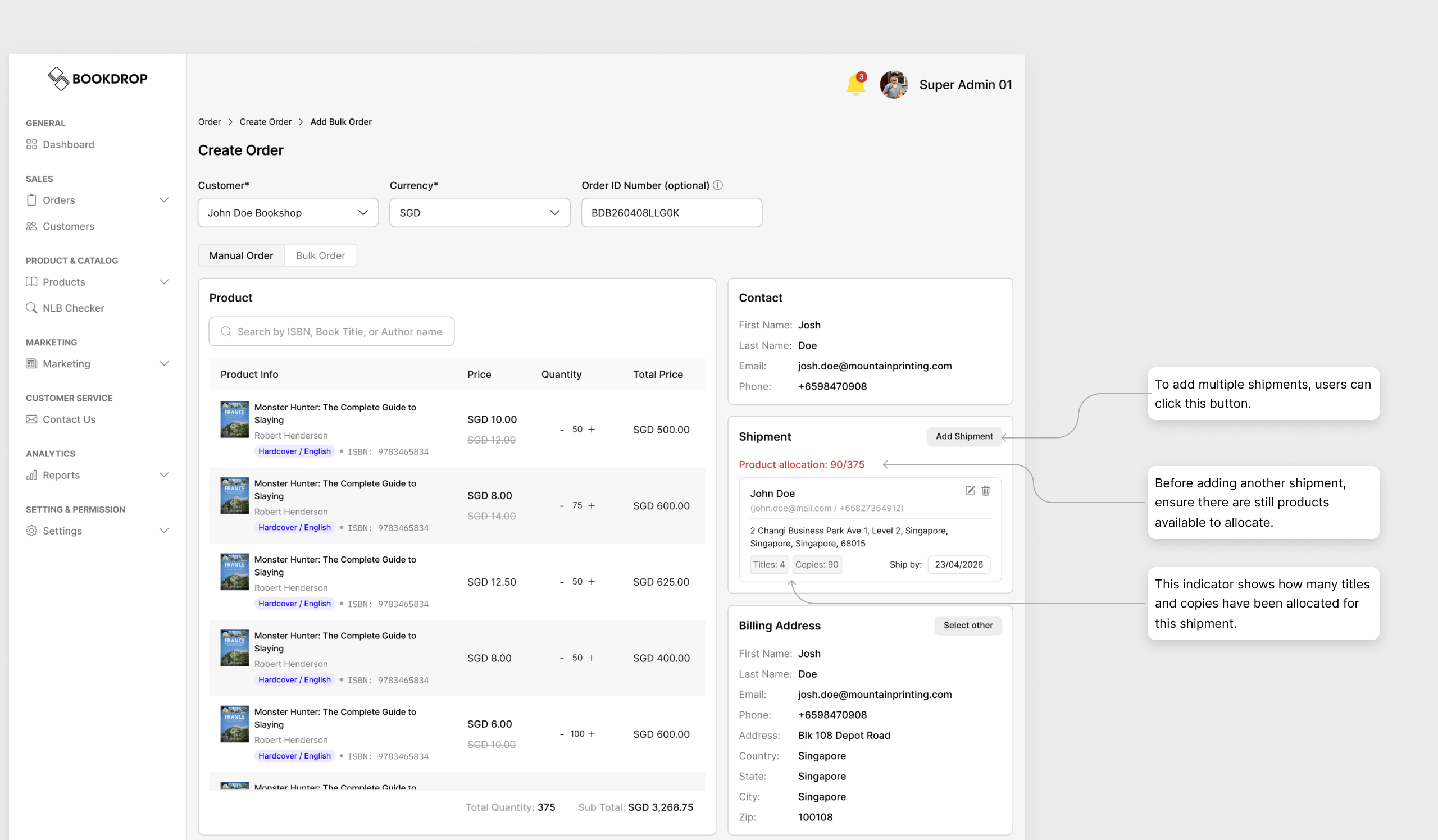
The legacy order process was manual and rigid: admins entered items one by one, and because the system forced a 1:1 ratio between an order and a shipping address, sending items to multiple branches meant duplicating the entire order per location, multiplying workload and skewing tracking data. I redesigned the order engine for scale, introducing mass data ingestion to bypass manual entry and decoupling shipping logic from the core order, so a single transaction can route quantities to multiple destinations without duplicating the order ID.
Automating Mass Data Entry (Bulk Entry)
A .xls upload feature (ISBN, Title, Quantity) instantly populates the product list for massive B2B orders, turning tedious manual entry into a one-click process.
Dynamic Multi-Shipment Allocation
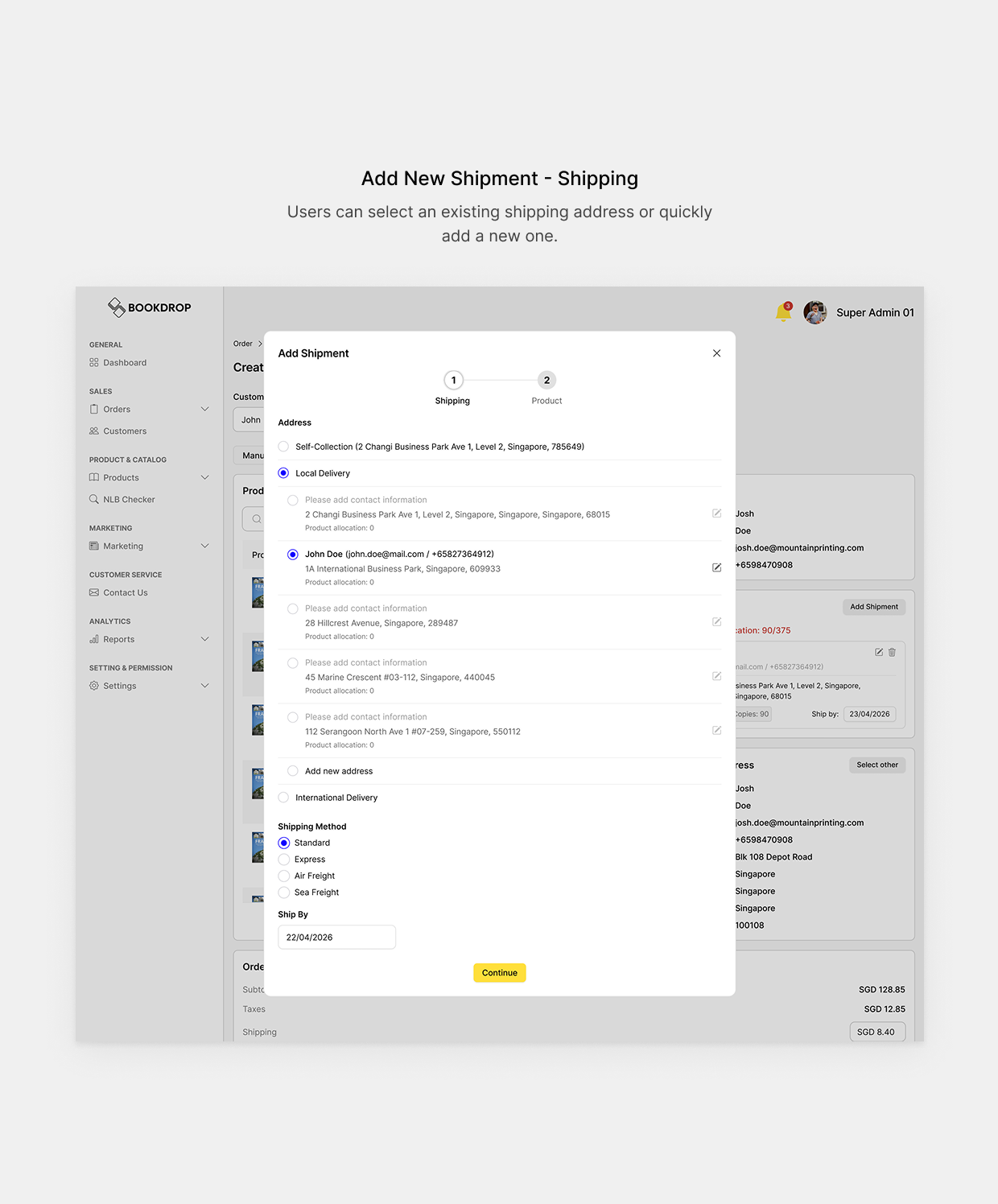
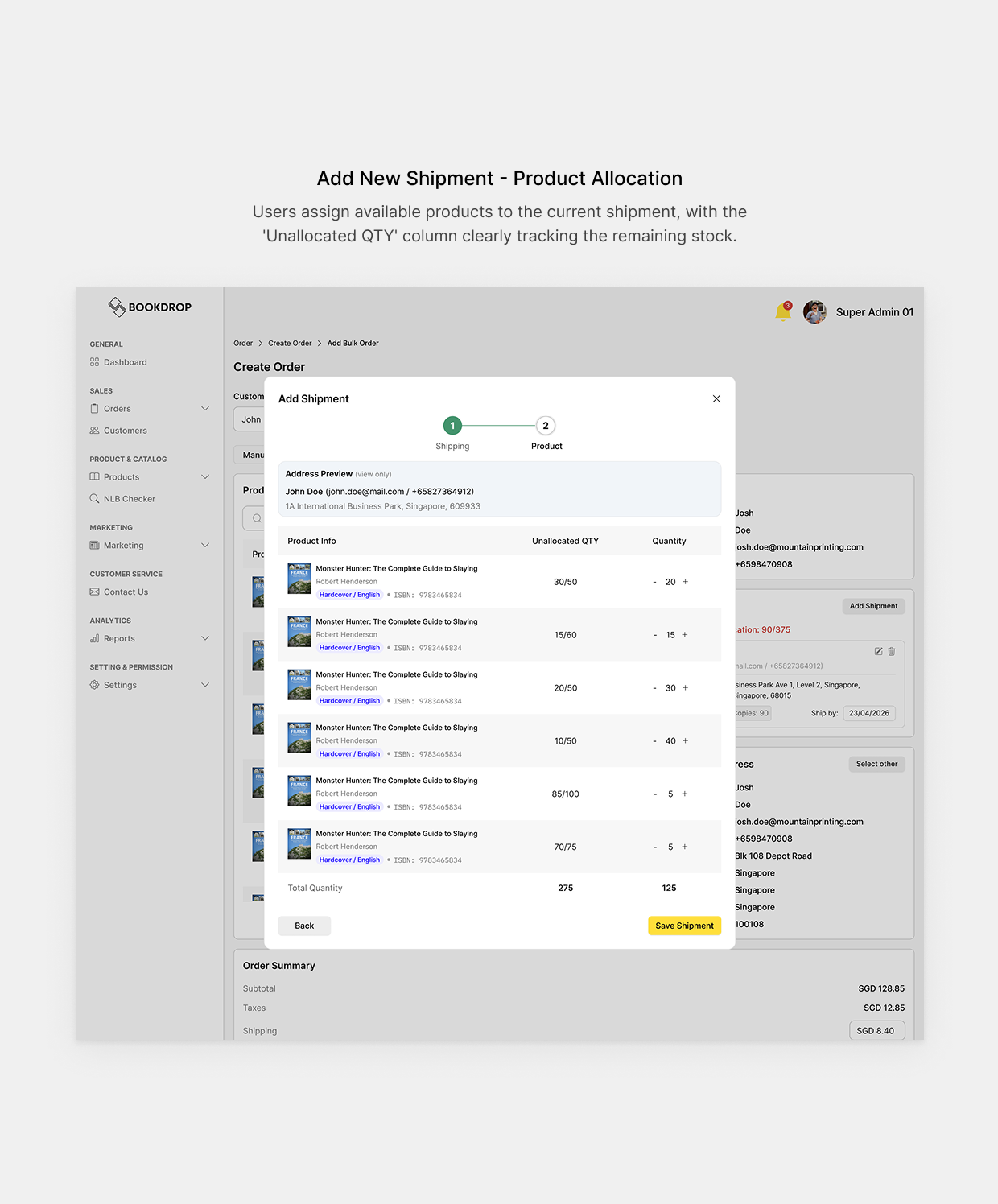
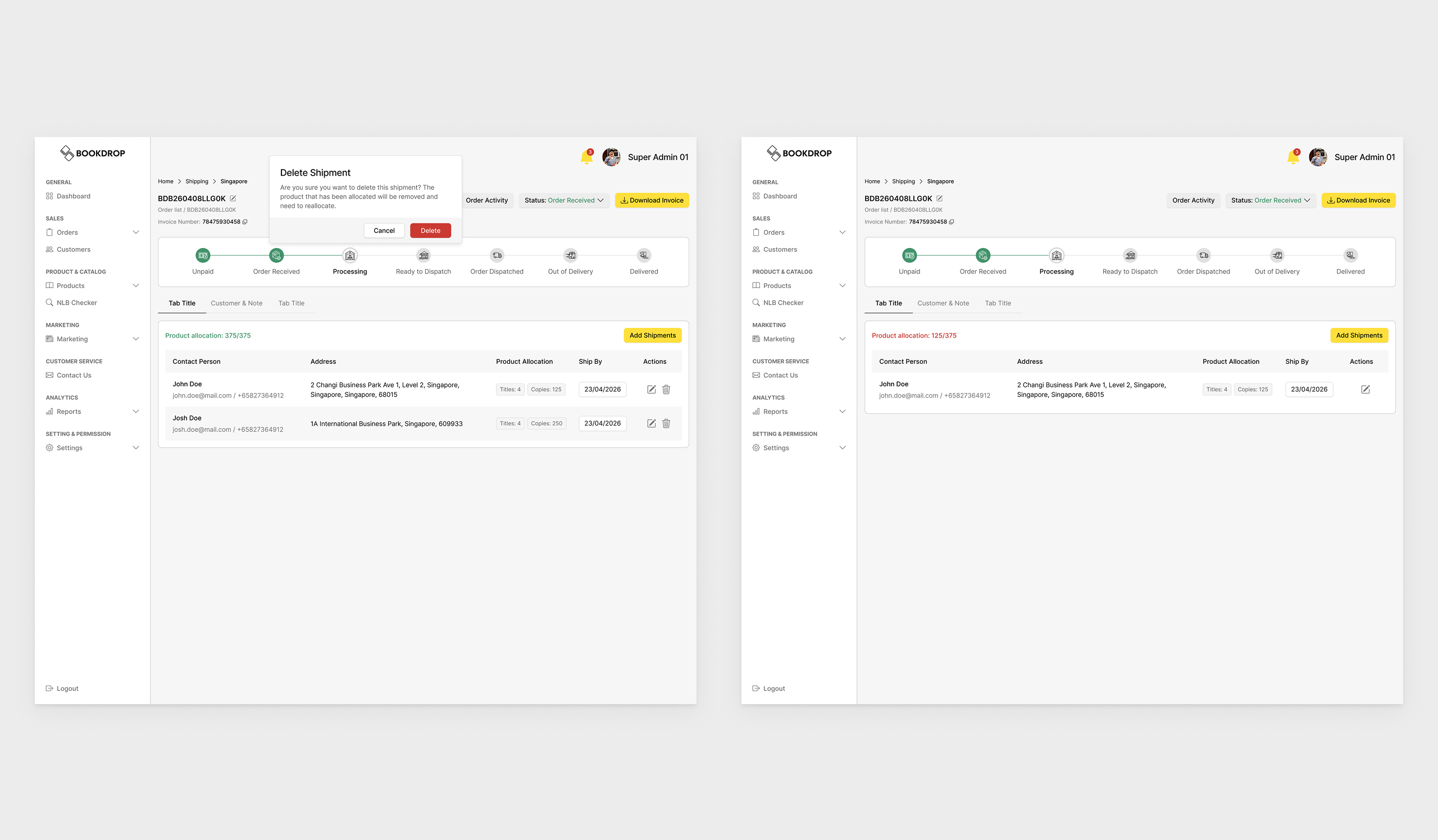
I overhauled the shipping flow so admins can add multiple addresses within one order and use a visual allocation interface to distribute quantities across destinations, like splitting 200 books across 3 regional branches smoothly.
Frictionless & Safe Post-Order Modification
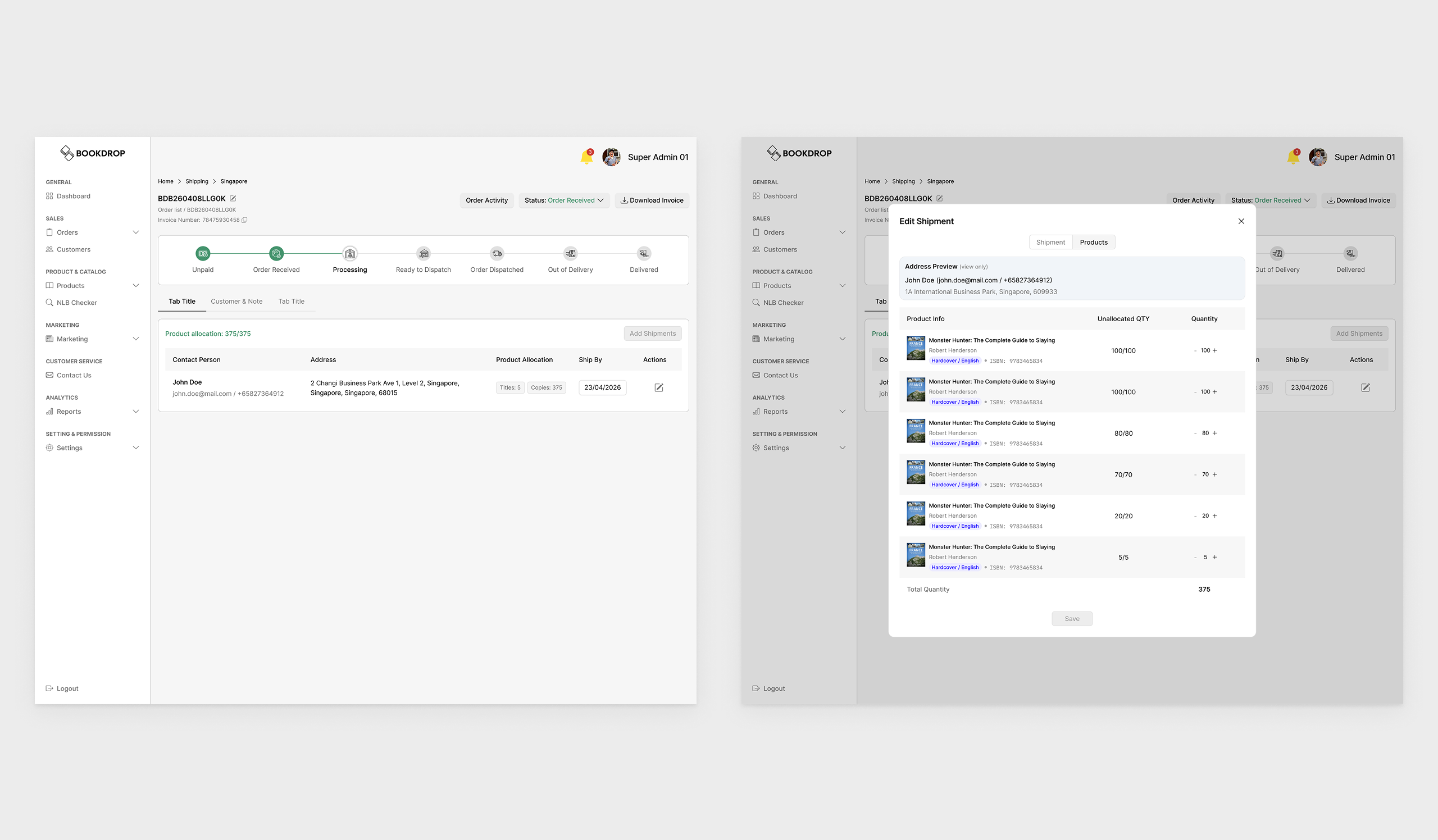
Since real-world operations need flexibility, admins can switch shipment types (Single to Multiple, or back) directly from the Order Detail Page, restricted to orders still in “Processing” status to keep it safe.
Preventing Over-allocation (Single to Multiple)
Adding a new address requires first freeing up quantity from the primary address, preventing negative stock errors. Deleting a destination auto-redistributes its items back to unallocated stock, and the system disables deletion once only one address remains, preventing accidental zero-destination orders.
Smart Redistribution (Multiple to Single)
Deleting a destination automatically redistributes those items to the unlocated items. The system smartly disables the deletion capability once only one address remains, preventing accidental zero-destination orders.
Restructuring the Product Architecture
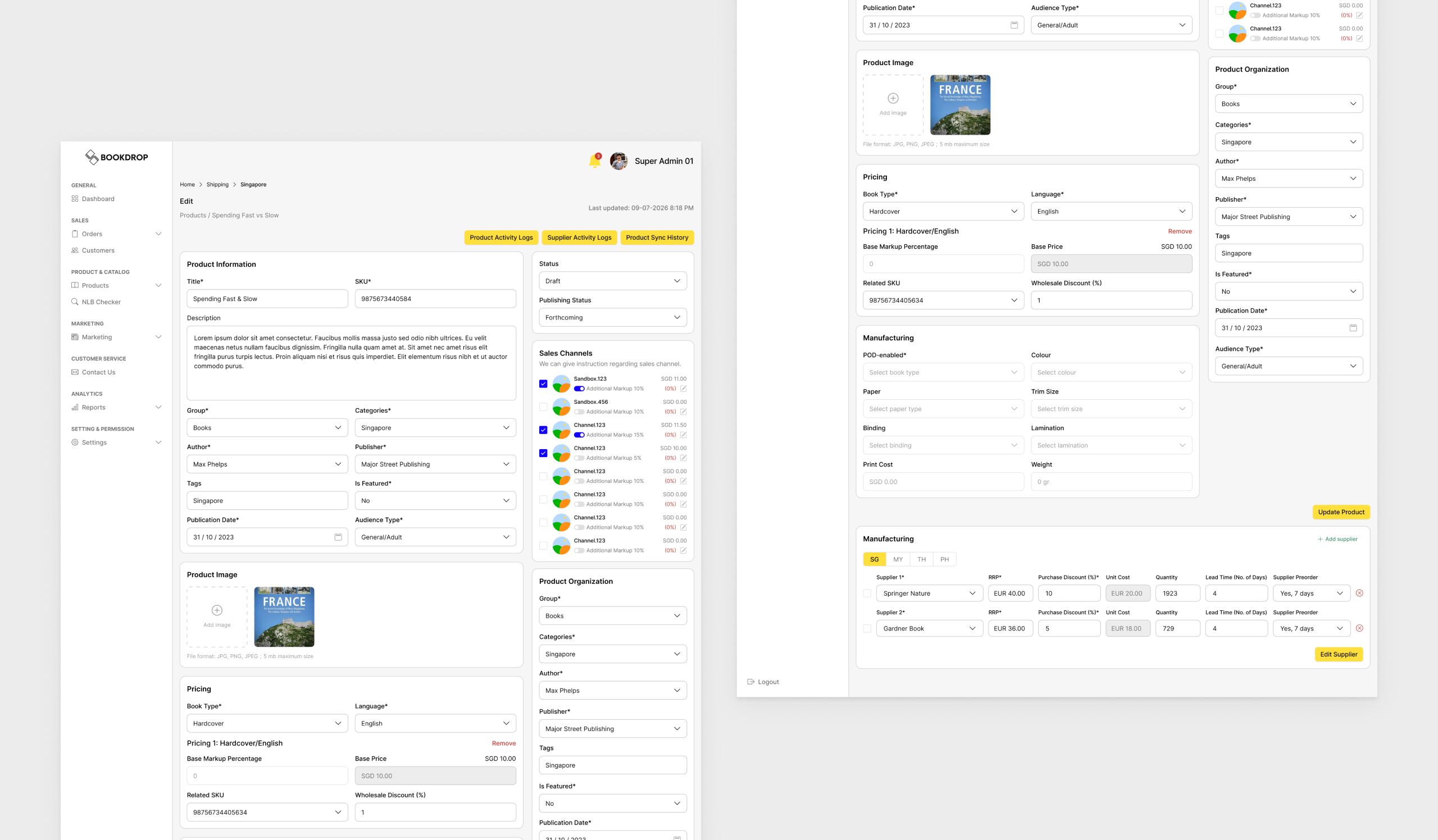
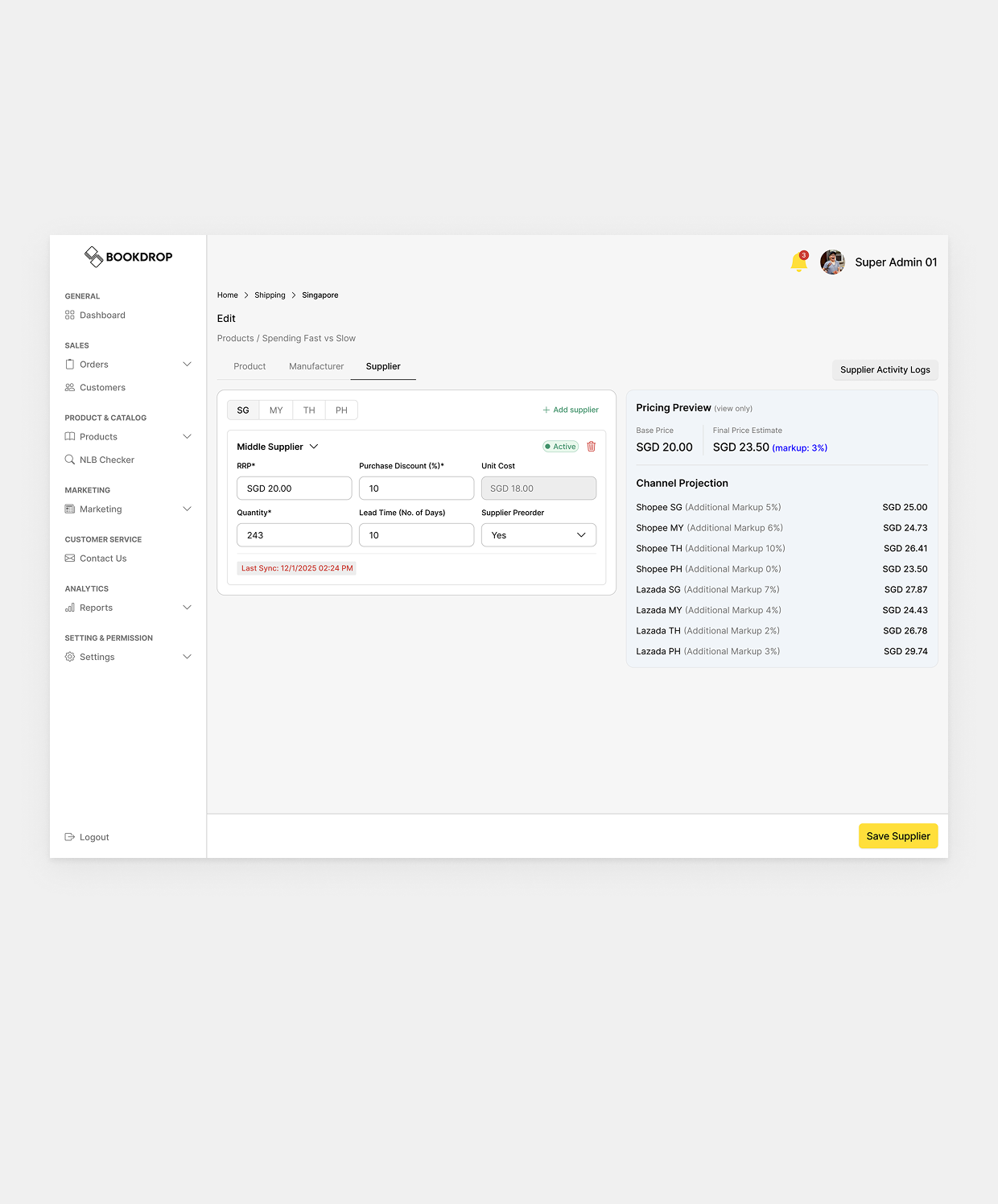
The legacy Product Detail page crammed eight operational forms into one endless scroll, forcing admins to hunt for specific data and slowing down routine work. I reorganized it into a categorized tab system, grouping related data so admins only see what they need at any given moment.
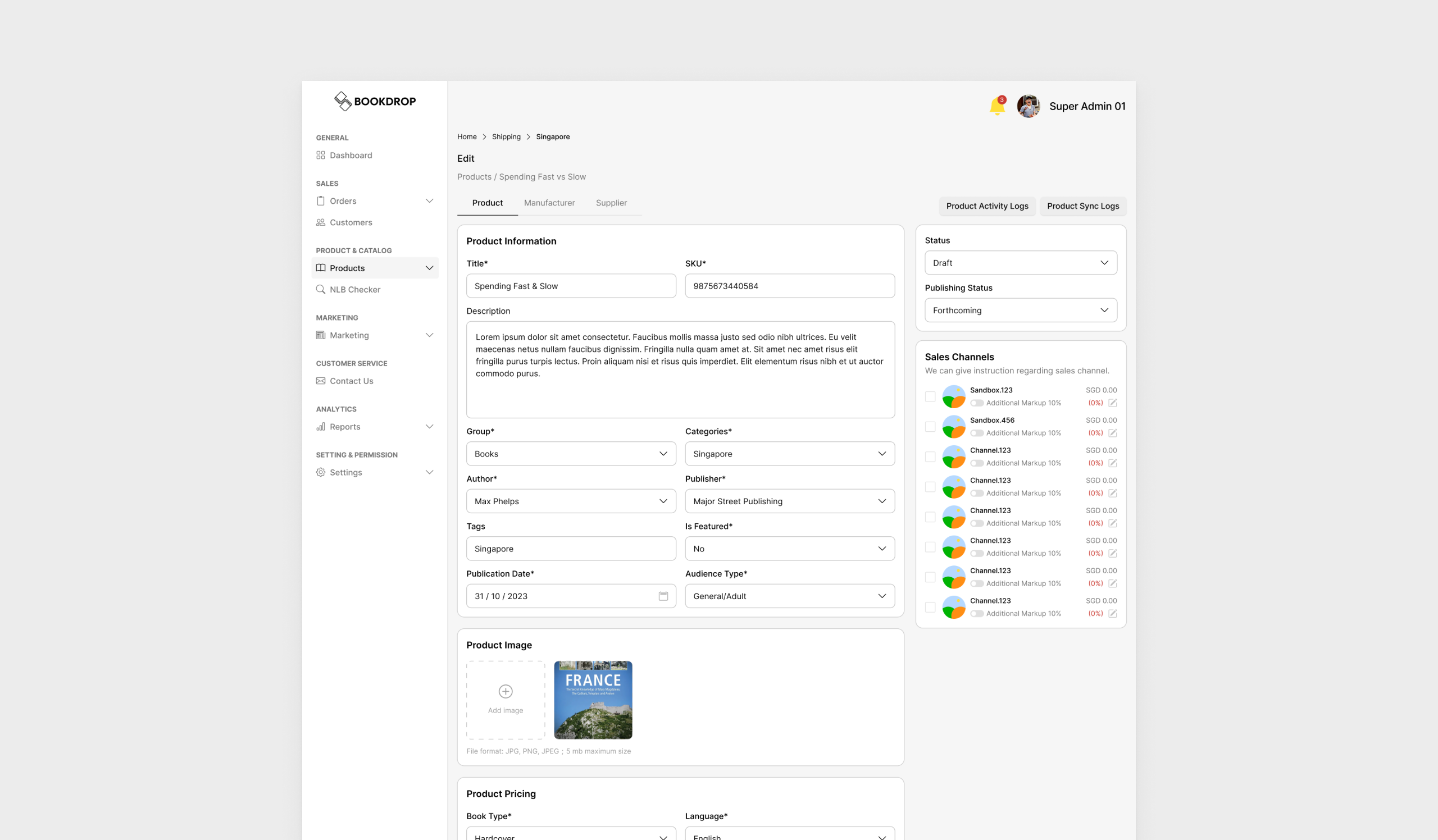
Consolidating the Core (Product Tab)
The default tab houses front-end facing data. I merged redundant sections like “Product Information” and “Product Organization” into one cohesive form covering metadata, imagery, pricing, and sales channel configuration, so marketing or content admins can work without logistical distractions.
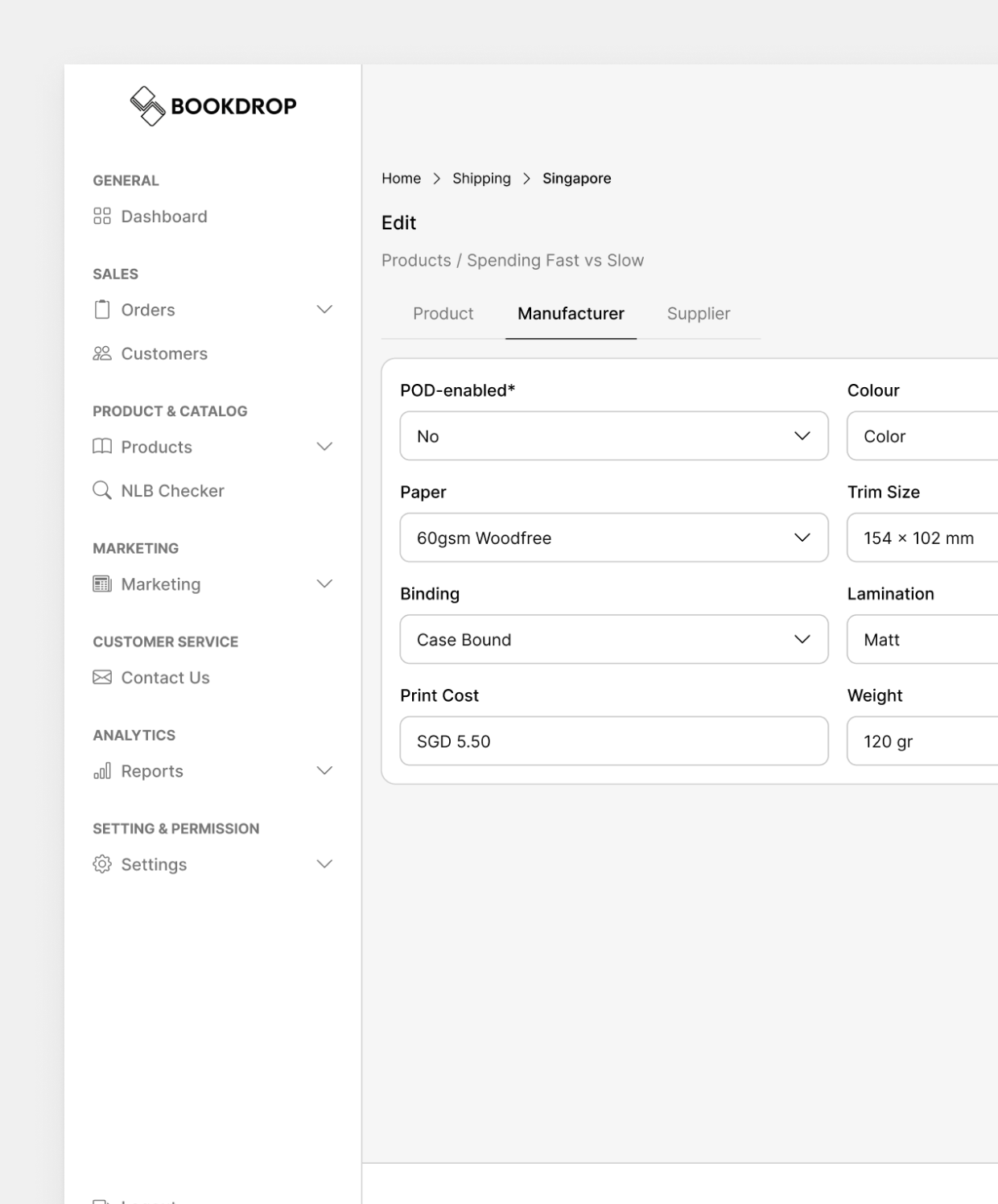
Decoupling Logistics (Manufacturer & Supplier Tabs)
Heavy supply-chain data now lives in its own dedicated “Manufacturer” and “Supplier” tabs. An admin fixing a typo in a book’s description no longer scrolls past print-cost calculations or supplier lead-time matrices, cutting the risk of accidental edits to unrelated fields.
Outcome
The result is a back-office system that finally matches the scale it’s meant to operate at. Management gets a dashboard that actually informs decisions instead of just displaying numbers, admins process B2B bulk orders in a fraction of the manual steps it used to take, and routine product updates no longer mean scrolling past unrelated supply-chain data just to fix a typo. Bookdrop went from a system built for simple B2C transactions to one that can genuinely handle the complexity of regional B2B logistics.